Sell in-store and online from the same inventory. Finally.
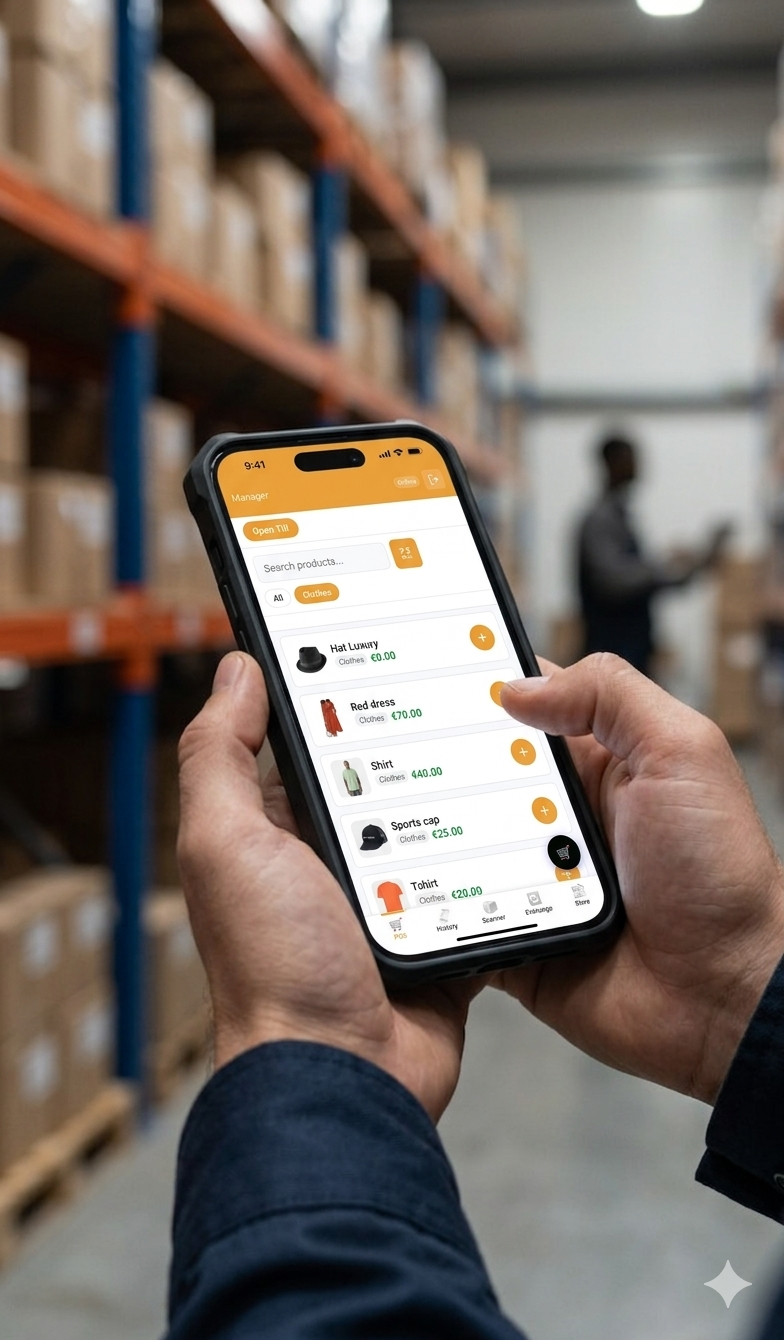
TillKit Pro adds a fast, mobile-first point-of-sale to your WooCommerce site. Staff log in with a PIN, scan barcodes with the phone camera, take cash or card, close their till and handle size exchanges. Every sale deducts the same WooCommerce stock your website uses, so you never oversell or reconcile spreadsheets.
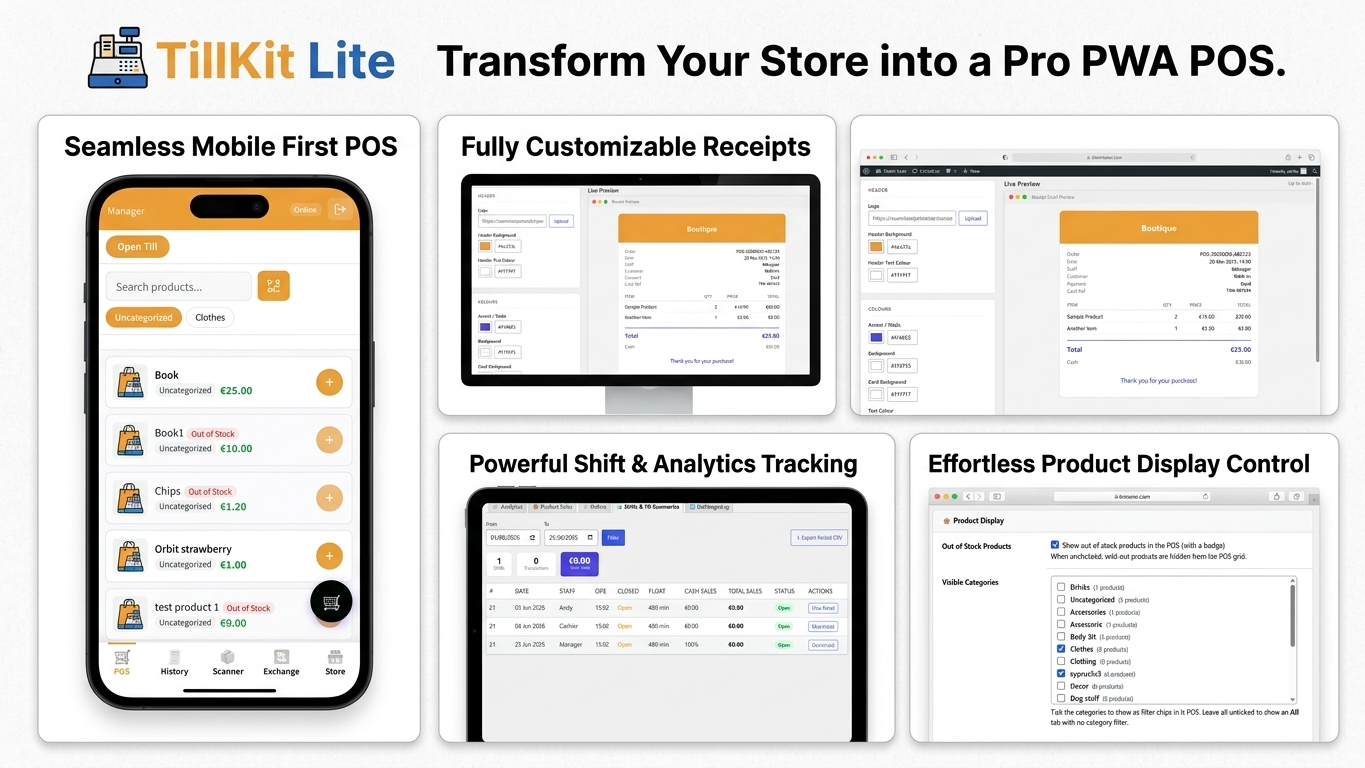
Professional Till & Shift Management
Keep your cash flow airtight. Staff can sell right away or until they "Open Till" with a starting float.
Shift Reports: Get automated email summaries upon closing.
Reconciliation: Track cash variances and payment breakdowns (Cash vs. Card) automatically.
Lock-Out Protection: Prevents overlapping shifts for flawless accounting.
Stop tethering your business to a desktop. Whether you’re managing a high-volume warehouse, running a weekend pop-up shop, or walking the floor of your retail store, Tillkit Pro brings the full power of WooCommerce to the palm of your hand.
WooCommerce Wasn't Built for the Shop Floor
Most WooCommerce stores manage everything from a desktop. But if you run a physical shop, a market stall, a pop-up, or an event — you need to take payments and process orders away from a desk. Traditional POS hardware is expensive, complicated, and often doesn't sync properly with your online store.
Tillkit Pro fixes that. Your WooCommerce store becomes your POS — on the device already in your staff's pocket.
The "Single-Tap" Size Exchange
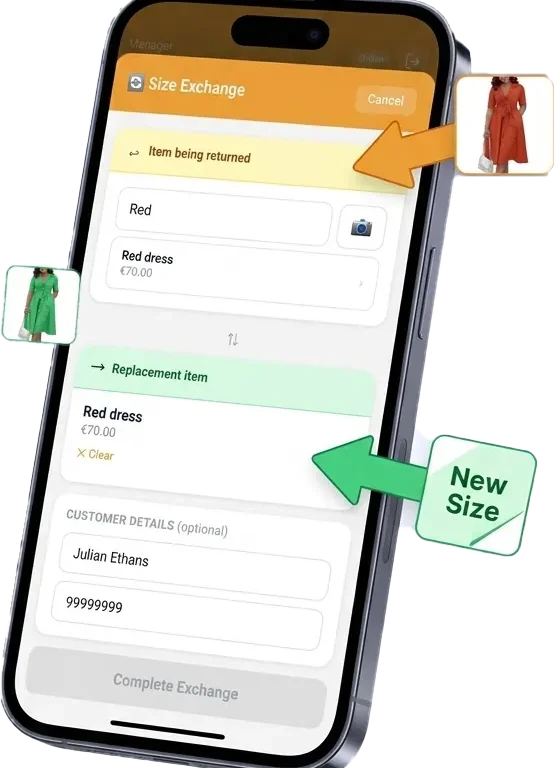
The ultimate tool for fashion and retail. Swap a returned item for a new size or SKU on a single screen.
Tillkit automatically calculates price differences, waives or applies fees, and adjusts your WooCommerce stock levels in real-time.
No more "Refund, then Re-buy" headaches.
Everything You Need at the Point of Sale
Tillkit for Woocommerce
🛠 Feature Breakdown
Mobile POS
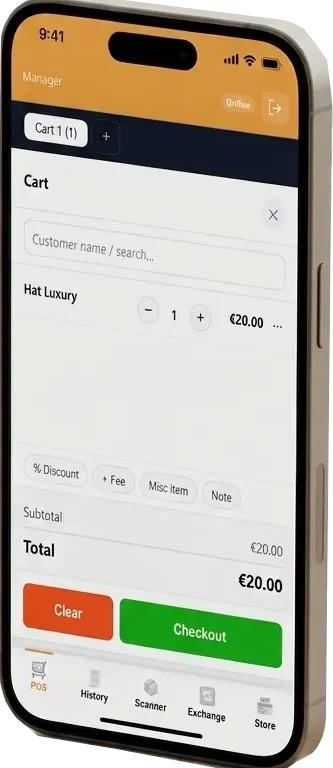
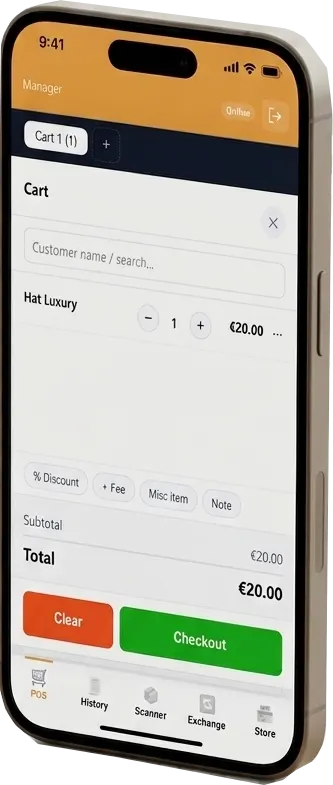
A clean, fast point of sale interface designed specifically for touchscreens. Works on iPhone, Android, and any tablet — straight from the browser. No app store, no installation.
Staff Control
4 Tiered Roles (Cashier, Scanner, Supervisor, Manager). Secure PIN-based login with IP lockout after 5 failed attempts.
Barcode Scanner
Scan product barcodes using the device camera. Instantly find the product, check stock, and add it to the cart. Works with standard WooCommerce SKUs and barcodes.
Stock Sync
Every sale through WC Mobile Suite updates WooCommerce stock in real time. No double-entry, no discrepancies between your online store and the shop floor.
Variant & Size Exchange
Handle product exchanges directly from the POS. Swap a size, swap a colour — stock adjusts automatically on both sides.
Order History
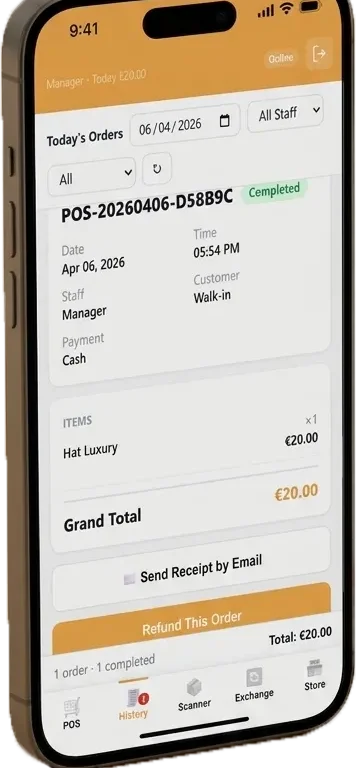
Staff can look up any past order, reprint a receipt, or check a customer's purchase history — right from the mobile interface.
Customization
Full White-Labeling: Change theme colors, upload your logo, and customize receipt "Thank You" messages.
PWA Support
PWA-ready (Install to Home Screen), PHP 8.0+ optimized, HTTPS secured, and 100% compatible with WooCommerce HPOS.
👨 Who it's For
Retail Shops
Replace an expensive till system with your existing smartphone or tablet.
Fashion & Clothing
Handle size exchanges, variant swaps, and stock adjustments on the spot.
Pop-Up Stores & Markets
Take your WooCommerce store anywhere. All you need is a phone and a connection.
📦 What’s in the Box?
App Shell Experience
A native-feeling navigation bar for POS, History, Scanner, and Exchange.
Real-Time Ticker
A live "Sales Today" ticker that refreshes every 30 seconds to keep your team motivated.
Custom DB Architecture
High-speed tables for orders and shifts ensure your main WordPress posts table stays clean and fast.
Admin Intelligence
Exportable CSV reports for shifts, till summaries, and exchange logs for your accountant.
Q: Do I need special hardware?
No. Tillkit Pro uses your device's built-in camera for barcode scanning. No dedicated scanner, receipt printer, or cash drawer required (though external hardware can be added separately)
Q: Does it work offline?
The POS requires a connection to your WordPress server to process orders. The PWA install makes it feel native and loads faster, but a connection is needed for live transactions.
Q: Will it work with my existing WooCommerce products?
Yes. Tillkit Pro works with all standard WooCommerce product types including simple, variable, and grouped products.
Q: Can I use it on multiple devices simultaneously?
Yes. Multiple staff members can use the POS on different devices at the same time.
Q: Does it replace my WooCommerce orders system?
POS orders flow into WooCommerce as standard orders. Your existing order management, reporting, and stock control all work normally.